
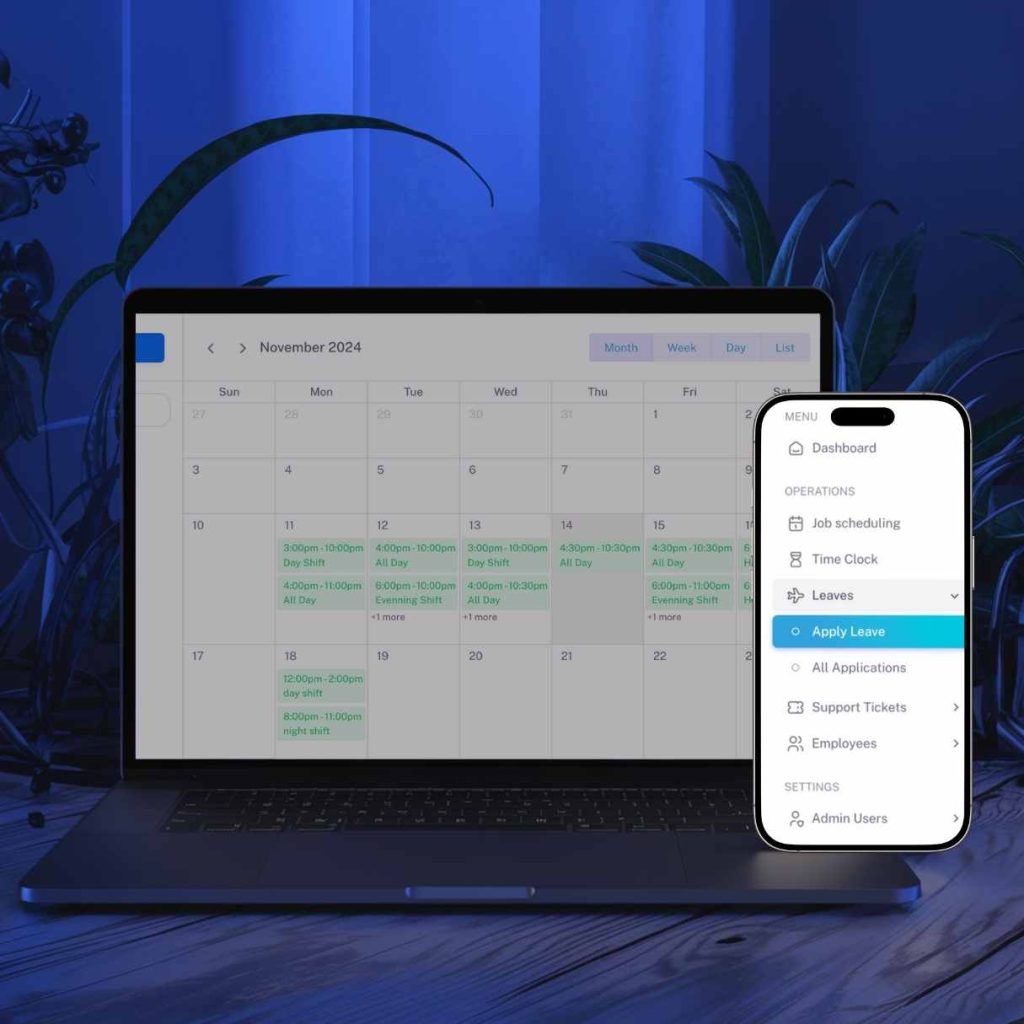
HR software for small business UK teams can replace scattered spreadsheets, paper files and repeated administration with one organised system for employee records, leave, rotas, documents and reporting.
For a growing employer, the main value is not simply having more technology. It is having a clear process that helps managers find information, complete routine tasks and give employees an easier way to access the services they need.
Quick answer
HR software for small business UK can be useful when staff information is difficult to find, leave requests rely on messages, rotas are frequently changed, documents are stored in different places or managers spend too much time preparing reports. The right system should be proportionate, secure, easy to use and suitable for the way the business actually operates.
What is HR software for small business UK?
HR software is a digital system used to organise employee information and routine people-management tasks. Depending on the platform, it may cover employee records, leave, attendance, rotas, onboarding, documents, reminders, approvals, performance notes and management reports.
A small company does not necessarily need a complex enterprise platform. HR software for small business UK organisations should focus on the tasks that create the most administrative pressure and provide a simple structure that managers and employees can follow.
SaaS Infinity’s HR management software service is designed around practical functions such as employee scheduling, time tracking, leave management, document handling, task management and reporting.
When does a small business need HR software?
HR software for small business UK becomes relevant according to process complexity, not simply headcount. A business with Three workers, changing shifts and frequent document checks may need a structured system sooner than an office with a larger but stable team.
Common warning signs include:
- Employee information is stored across emails, folders and spreadsheets.
- Leave requests are approved through WhatsApp or informal messages.
- Managers cannot quickly confirm who is working or absent.
- Important documents expire without a reliable reminder process.
- New starters receive inconsistent onboarding information.
- Preparing monthly or audit-related reports takes too long.
- Employees repeatedly ask for information they could access themselves.
These problems do not always require custom development. However, they indicate that the current process should be mapped and improved before growth creates further confusion.
7 benefits of HR software for small business UK
1. One organised employee record
A central profile can hold contact details, job information, documents, emergency contacts, notes and relevant employment records. This reduces the need to search through separate folders and gives authorised managers a clearer view.
2. Simpler leave management
Employees can submit leave requests through a consistent process, while managers can review availability before approving them. This creates a clearer record than relying on verbal requests or message threads.
3. Better rota and attendance visibility
For hospitality, care, retail and field-service businesses, rotas often change. A shared system can make current schedules easier to access and help managers record attendance, lateness or shift changes consistently.
4. More consistent onboarding
An onboarding checklist can guide managers through document collection, policy acknowledgement, training tasks and system access. Every new starter receives the same core process, while role-specific steps can be added where necessary.
5. Useful reminders and reporting
Automated reminders can draw attention to missing documents, review dates or other time-sensitive tasks. Managers can also produce reports without manually combining several spreadsheets.
6. Employee self-service
A self-service portal may allow employees to view schedules, request leave, update selected information and access documents. Mobile access can be particularly useful for dispersed teams, and a tailored employee app may be considered through professional mobile app development.
7. A process that can grow with the team
HR software for small business UK employers can provide a more reliable foundation as new employees, locations or managers are added. The system should still be reviewed regularly so that permissions, workflows and reports remain appropriate.
Features worth prioritising
When comparing HR software for small business UK, a long feature list is not automatically better. Prioritise functions that solve current problems and can be introduced without overwhelming the team.
- Employee profiles with controlled access.
- Document upload, categorisation and expiry reminders.
- Leave requests, balances and approval workflows.
- Rotas, attendance and time-recording options.
- Onboarding and offboarding checklists.
- Task assignment and internal updates.
- Role-based dashboards and reports.
- Payroll, accounting or other system integrations where required.
- Mobile-friendly employee self-service.
- Backup, support and clear data export arrangements.
Data protection and access control
Employee records contain personal information, so businesses should consider what data is collected, why it is needed, who can access it, how long it is retained and how it can be corrected or deleted when appropriate.
Review the Information Commissioner’s Office data protection guidance and the National Cyber Security Centre password guidance when assessing system governance and access arrangements.
Spreadsheets versus HR software
HR software for small business UK employers offers a structured alternative when spreadsheets no longer provide enough control, visibility or consistency.
| Area | Spreadsheets and folders | HR software |
|---|---|---|
| Employee records | May be split across files and locations. | Central profiles with controlled access. |
| Leave requests | Often handled manually through messages. | Structured request and approval workflow. |
| Reminders | Dependent on calendars or manager memory. | Configurable alerts for selected dates and tasks. |
| Reporting | Requires manual checking and consolidation. | Reports can be generated from current records. |
| Growth | May become difficult to control as users increase. | Can support additional users and workflows if configured well. |
How to choose HR software for small business UK
- Map the current process. Record how employee details, leave, rotas, documents and approvals are managed today.
- Identify the main problems. Separate essential requirements from features that would merely be convenient.
- Confirm user roles. Decide what owners, managers, administrators and employees should be able to view or change.
- Review security and data handling. Ask about hosting, backups, permissions, authentication, support and data export.
- Check integrations. Confirm whether the system must connect with payroll, accounting, email, calendars or other platforms.
- Test usability. A demonstration or trial should include the people who will use the system regularly.
- Plan for support. Understand implementation, training, maintenance and future improvement arrangements.
A ready-made platform may be suitable when requirements are standard and budgets are limited. Where a business has unusual workflows, several user types or specialist integrations, tailored software development may provide a closer operational fit.
A practical implementation plan
Introducing HR software for small business UK teams should be treated as a process change, not only a technical installation. A phased approach can reduce disruption and give the team time to learn.
- Clean existing employee information and remove unnecessary duplicates.
- Configure departments, roles, permissions and approval routes.
- Import essential records and check them for accuracy.
- Test leave, document, rota and reporting workflows with a small group.
- Train managers before inviting the wider workforce.
- Launch the most important functions first.
- Review feedback and improve the configuration after launch.
Costs and timescales vary according to user numbers, required features, integrations, data migration, customisation, training and support. Obtain a written scope so that responsibilities and exclusions are clear.
Discuss your HR software requirements
SaaS Infinity can help you explore HR software for small business UK requirements, including employee records, leave, schedules, documents, reporting and self-service access.
Frequently asked questions
Is HR software suitable for a very small business?
Yes. HR software for small business UK teams can be suitable when the business has enough administrative complexity to justify it. A small team with changing shifts, regular leave requests or important documents may benefit earlier than a larger team with simple arrangements. Start with essential functions rather than purchasing an unnecessarily complex platform.
How much does HR software cost in the UK?
Pricing varies by provider, number of employees, features, integrations, setup, training and support. Subscription products may charge per employee or user, while bespoke systems are normally scoped individually. Compare total implementation and ongoing costs rather than the headline monthly fee alone.
Can HR software manage rotas and attendance?
Many systems include scheduling, shift assignment, time recording or attendance features, but capabilities differ. Check whether the platform supports your shift patterns, locations, approval rules and reporting needs before choosing it.
Should I choose ready-made or custom HR software?
Ready-made software may be appropriate for standard HR processes and faster implementation. Custom software may suit organisations with specialist workflows, several user groups, unusual reporting or required integrations. The decision should be based on scope, usability, support, security and total cost.
“`